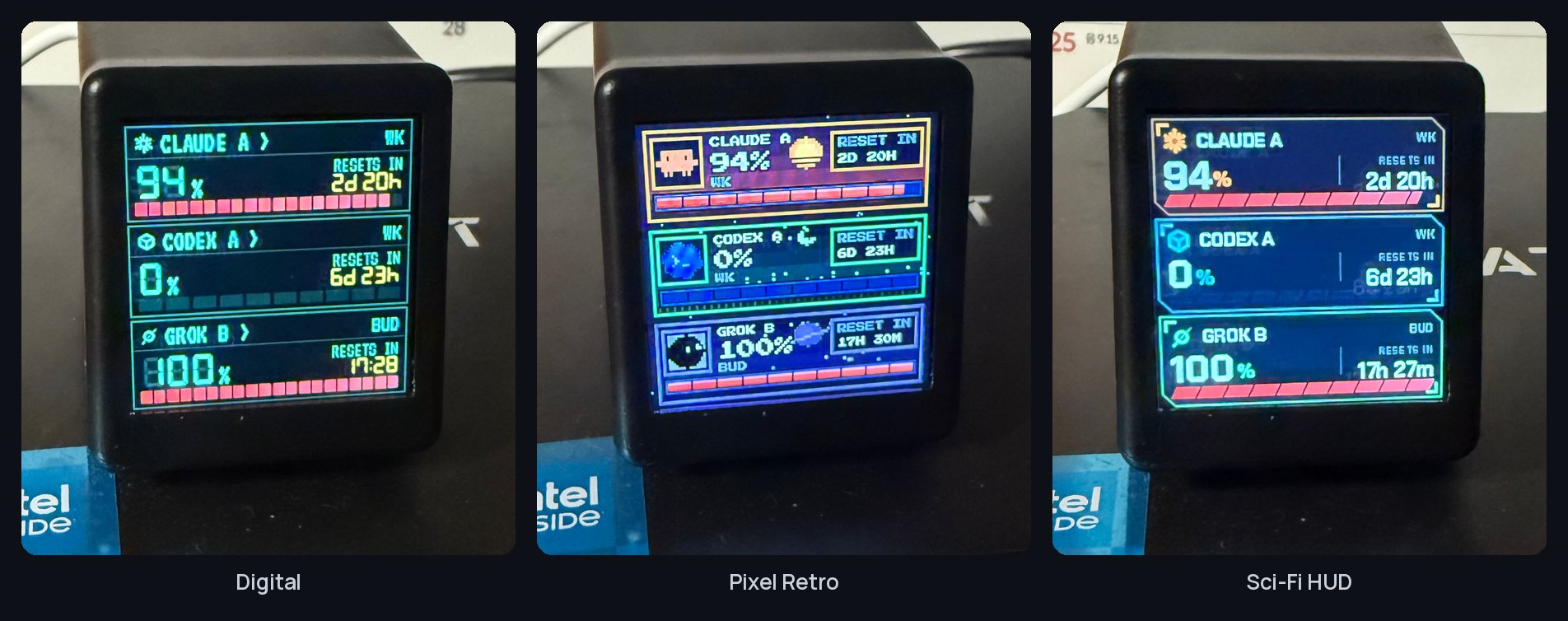
What if a little desk clock showed your Claude and Codex limits? Maker click6067 introduced TokenTV on GeekNews with a clock bought on AliExpress. The roughly $5 (₩6,000) figure was the maker’s sale purchase, not a current price we checked.
A dashboard in the photo album
The trick is the photo album. According to the docs, an always-on computer on the same network reads usage, draws a 240×240 display and sends it to the clock. The clock keeps its firmware and uses its existing photo display. Collection and rendering happen on the computer.
Three steps from usage to the clock
How much of the limit is used?
Computer reads service usage
Claude and Codex quota sharesTurn numbers into a picture
Always-on computer renders the display
240×240 imageInto the clock’s photo album
Image sent over the same network
Stock firmware displays the pictureWhat the numbers mean
The numbers describe the share of a usage limit consumed: Claude’s five-hour and weekly limits, and the windows reported by Codex. They are not token counts or a bill. The documented polling interval is five minutes, with older readings marked OLD.
V’s view
V’s view. I like the moment when a picture gains another purpose. A space for a holiday photo becomes a place for today’s usage. I can imagine glancing at it while coding. For a desk with a computer already running, adding a tiny screen could be part of the fun.
Scope: the author reports one 240×240 clock with SD_PRO photo-album firmware tested on Linux. Other clocks, macOS and Windows are unverified; we have not tested it.